About your website
Building websites
There are different ways of making a website today however we can easily identify two main categories:
-
Static websites: has content which is the same for everybody and is usually pre-generated into HTML files that are served to all users who view your website. Static websites are easy to build with the right tools but with any change of content you need to edit files and then publish a new version of your website.
-
Dynamic websites: has content that can change between one view and the next, dynamic content, like shop or a travel booking site. Every time a user visits the site, the correct content is collected (ie. from a database) with the HTML and shown to the specific user. Content can be easier to update, for example with a login page and an edit page area, however dynamic websites do require more development skills and tools needed to run the website, like a server.
-
Static site generators make it easier to build a static website, usually reading the content from Markdown, then building the HTML files from a theme template.
Web technologies
Before digging into how websites are made, it’s useful to see which are the main technologies and languages behind them.
-
HTML: the text based language transformed by the web browser into a formatted web page. We use HTML v.5, a global standard supported globally. Learning how to write a basic HTML page with a text editor takes a well-spent few hours but it’s very useful whatever you do on the web (i.e. a newsletter, website).
-
CSS: this language is used to style HTML pages. You can easily define rules for how each element in your page should look (color, space, margins, fonts, etc). It’s a good investment to study at least the basics of CSS so you can quickly style custom content.
-
Javascript: this language is a programming language. It allows to add behaviors to the elements of a page (i.e. Clicking a button shows a popup on the screen). You don’t need to learn this language unless you want to do something more reactive.
Finding your documentation website
Go to class.textile-academy.org students page to find the link to your documentation website.
Your website
In order to get you started we created a website template ready to be filled with content and customized to fit your style. This website is using a static site generator called Zensical. By using Markdown and Zensical we hope to reduce the learning curve needed to build and update a website.
Previous use of MkDocs framework
Previous year student websites where built with MkDocs and the Material for MkDocs theme. However due to MkDocs seeming like it is unmaintained, the people behide the Material for MkDocs theme release a new framework called Zensical. Zensical provides near complete comparability with MkDocs in terms of markdown/configuration, meaning nothing changes with what you know.
Below is what your website looks like with the placeholder text.
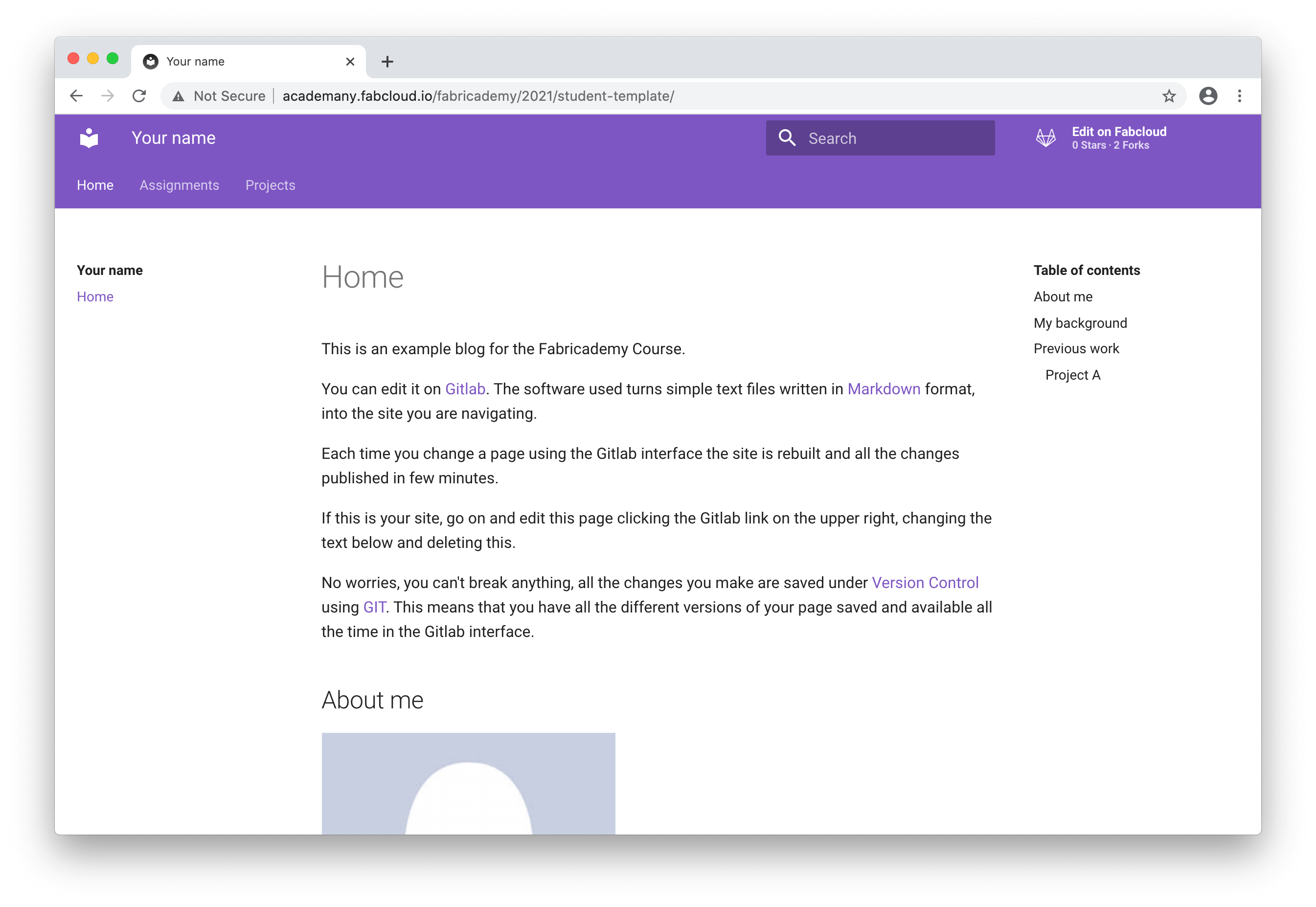
Website sections
-
Homepage: this page is meant to introduce you to the visitor. So you should add a picture, some bio and references to your previous projects or interests. You can use the page also to highlight some of your favourite assignments developed during the class.
-
Assignments: we created for you a different page for each of the assignments. Here you document your project progress while you develop it. You should add pictures, videos and source files. The idea is anybody looking at your page should be able to reproduce your work.
-
Projects: here you will find a premade page for your final project, but you can add all interesting full project you might develop in the class.
About Zensical - static site generator
The website template is built with Zensical (zensical.org) a static site generator that allows to write documentation in Markdown (https://markdown.org) language and publish a beautifully looking website without any knowledge of coding HTML, CSS or Javascript.
The static site generator is used to publish your website every time you edit a file of your website using GitLab, an open-source platform we offer to each of the Academany students to host their project. The output is a static website hosted in the student repository using GitLab Pages.
You do not really need to know much about Zensical if you don’t need to customize your website further than the default theme. Otherwise it’s good to spend some time reading the documentation on the Zensical website.
Website folder structure
Your repository is arranged in different folders. Use the list below to see where you can edit specific content.
| zensical.toml | Zensical configuration settings file to customize your website for all pages.. |
| docs | This folder contains all the website content. Only files inside this folder are published to your website! |
| docs/index.md | This is the homepage. Edit this file with your profile and information |
| docs/assignments | This folder contains the documentation for weekly assignments |
| docs/assignments/week01.md - week13.md | Edit each of these files for the documentation of the week’s assignment. |
| docs/projects | This folder contains documentation for both final and other projects. Add a file to this folder to document your extra projects. Example my-project.md. Avoid spaces and uppercase names for clarity. |
| docs/projects/final-project.md | Edit this page for your final projects’ documentation |
| docs/images | This folder is meant to contain all images in your website. Make sure you check the file sizes for your images. Keep an eye of file sizes, 100 KiloBytes should be enough! |
| docs/images/avatar-photo.jpg | This is an example picture. You can replace it uploading a picture with the same filename. |
| docs/stylesheets/extra.css | Using CSS code, you can change the site of elements on your pages. |
| requirements.txt | The tools to install for your website. By default Zensical and the Material theme are installed for you. Only edit this file if you are confident in what you are doing. |
| .gitlab-ci.yml | This is a system file for GitLab with instructions on how to build your website using Zensical. There is no reason to change anything unless you stop using Zensical. See the advanced sections below for instructions. |
| .gitignore | Git specific file to tell Git which files to not commit to the repository. For example a todo list or secret file. |